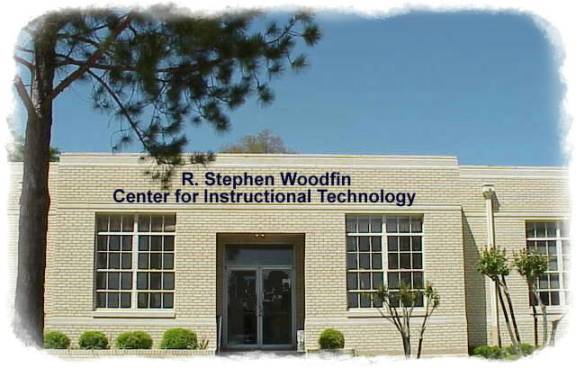
This building will house:
Interactive
Video Distance Education Classroom
Piney Woods FreeNet Community Technology Center
Faculty
Technology Resource Center
Model
Technology Teaching and Learning Facility
Support
Personnel Offices
What will the Piney Woods FreeNet “do”?
·
Provide public access computers in public locations
·
Provide 2-way communication such as free e-mail accounts,
listservs, and web-page hosting for individuals
·
Establish a Small Business & Non-Profit Corporation Web
Presence Incubator to assist local businesses in building a website to market
their business globally and participate in e-commerce
·
Provide information with content driven by what the
community wants
·
Provide an information portal with content relevant to local
citizens
·
Assist local government and health care entities with the
creation of web-based content to increase citizen’s participation via
e-government
·
Provide training on how to use computer and Internet
technology to interpret, search for, and create information
·
Provide focused workforce development training for employers
and job-seekers
·
Provide policies and standards for accessibility
·
Provide resources through volunteers and the existing
knowledge base in the community
·
Provide expanded distance learning opportunities for
students

·
Provide a centralized location for professional development activities
·
Maximize resources by avoiding duplication of expensive
equipment and resources that are necessary, but not used daily
·
Provide assistance or services relating to the creation of
traditional and distance learning classroom resources
·
Provide an avenue for faculty to explore emerging
instructional technologies
·
Provide a structure for research into methods which will
improve student learning
What does an Interactive Video
Distance Education classroom look like?
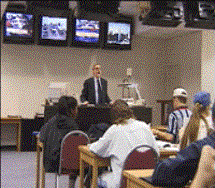 Students
at the local site, the location with the live instructor, can view students at
remote locations on the monitors behind the instructor. One of the monitors displays the outgoing
signal which may be a picture of the students or instructor at the local
classroom, images displayed on the instructor’s computer screen such as
multimedia presentations, or items placed under the document camera at the
instructor’s podium.
Students
at the local site, the location with the live instructor, can view students at
remote locations on the monitors behind the instructor. One of the monitors displays the outgoing
signal which may be a picture of the students or instructor at the local
classroom, images displayed on the instructor’s computer screen such as
multimedia presentations, or items placed under the document camera at the
instructor’s podium.
 The
instructor can view students at the remote site(s), as well as the signal that
is transmitted to them, using the overhead monitors.
The
instructor can view students at the remote site(s), as well as the signal that
is transmitted to them, using the overhead monitors.
The
equipment is duplicated at each location so that instruction can initiate from
any point on the network and students at each site can interact with other
sites.
Please
click on the following for more information.
Link